WINDOWS
Support for Windows
Download the support application and open it. No server settings to enter.
Download for WindowsPortable .exe · No unattended password configured
 YELLOW DOGINTERACTIVE MEDIA
REMOTE SUPPORT PORTAL
YELLOW DOGINTERACTIVE MEDIA
REMOTE SUPPORT PORTAL
Get connected with a Yellow Dog technician in just a few steps. Choose your computer, open the support app, and share your ID and temporary password.
Get startedNo complicated setup. Just follow the instructions below.
Download the support application and open it. No server settings to enter.
Download for WindowsInstall RustDesk, then run our setup helper to connect it to Yellow Dog.
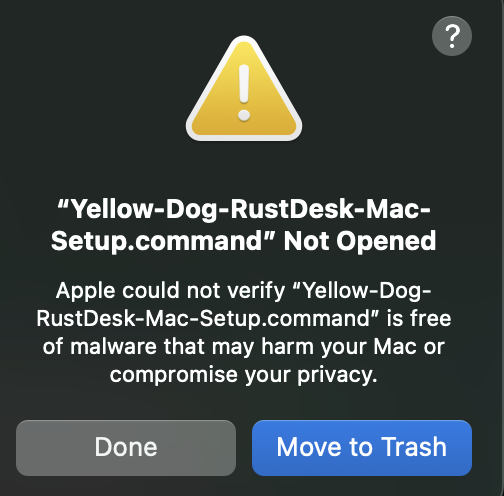
Get RustDesk for Mac Then download the Mac setup helper Mac says “Not Opened”? Follow these stepsApple may show a warning saying “Yellow-Dog-RustDesk-Mac-Setup.command” Not Opened because our setup helper isn't Apple-notarized. If you downloaded it from this support site at your technician's direction, follow the steps below. Do not disable Gatekeeper or change your Mac's overall security settings.
Don't see “Open Anyway”? Try opening the downloaded setup helper once, dismiss the warning with Done, and return to Privacy & Security. If your Mac is managed by an employer or school, its security policy may prevent an override; contact your IT administrator.
Choose Windows or Mac above and follow the instructions.
Launch RustDesk. Mac users should also run the setup helper and approve the required permissions.
Give your Yellow Dog technician the RustDesk ID and temporary password shown in the app.